
Staring at vibrant screens for hours is just part of my daily routine as a graphic designer. I love bringing ideas to life with color and creativity but I’ve noticed my eyes often pay the price. Those long stretches in front of a monitor can leave me feeling tired and unfocused.
Digital eye strain is something I never really thought about until the headaches and blurry vision started creeping in. If you’re like me and spend most of your day designing on a screen you’ve probably felt it too. Let’s take a closer look at why this happens and what we can do to keep our eyes healthy while doing what we love.
Understanding Digital Eye Strain in Graphic Designers
Spending many hours in front of a brightly lit screen exposes my eyes to significant amounts of blue light, which can lead to digital eye strain. Digital eye strain—also known as computer vision syndrome—describes the set of symptoms I get after extended screen use. For graphic designers like me, symptoms often include dry or irritated eyes, headaches, difficulty focusing, and blurred vision. The Vision Council found that 59% of American adults experience these issues, with designers at higher risk due to longer screen exposure.
Staring at screens forces my eyes to work harder. I constantly shift focus, especially when editing fine digital details or comparing colors onscreen. The high energy visible (HEV) blue light from monitors, tablets, and smartphones not only disrupts my visual comfort but can also affect sleep quality if I’m working late. Reports from the American Optometric Association connect exposure to blue light and disrupted circadian rhythms—something I see firsthand after finishing evening design projects.
Most design tasks demand precise color perception, so I keep brightness settings high and use vivid color palettes. This increases the blue light reaching my eyes. Glare from glossy screens and reflections from ambient lighting add to my discomfort.
Digital eye strain doesn’t affect everyone the same way. Milner et al. (2020) in their review on occupational exposure to digital screens highlight that those who don’t use frequent breaks, blink less often, or have pre-existing vision issues notice symptoms faster. I’ve noticed that implementing good screen habits, adjusting my workspace, and using blue light filtering solutions significantly reduces these effects for me.
Common Symptoms and Causes
Digital eye strain affects graphic designers who interact with bright monitors and color-rich displays for hours daily. I notice symptoms often arise from a mix of visual habits, environmental settings, and the unique demands of design work.
Persistent Eye Discomfort
Eye discomfort develops consistently for graphic designers because of extended focus on pixel-dense screens. In my experience, these symptoms appear as:
- Dryness: Eyes lose moisture rapidly during constant screen staring, especially when blink rates drop from 15–20 times per minute to 5–7 times per minute (American Optometric Association).
- Irritation: Discomfort manifests as gritty, burning, or stinging sensations when digital focus continues without breaks.
- Headaches: Intense screen colors and inconsistent lighting contribute to frontal headaches for many, especially after multi-hour sessions.
- Blurred Vision: Convergence fatigue leads to variable focusing, making subtle color and detail work less accurate.
- Trouble Refocusing: Fast context-switching between digital and physical layouts, or small font sizes, heightens strain.
Environmental and Work-Related Factors
Several factors increase eye strain among graphic designers, especially concerning blue light:
- Blue Light Exposure: Screens emit high-energy visible (HEV) blue light in peaks near 450 nm; scientific reviews link this to digital eye strain, circadian rhythm disruption, and potential sleep quality decline (Harvard Health Publishing).
- High Screen Brightness: I see many designers boost brightness for color accuracy, multiplying glare and light scatter in the eye.
- Poor Workspace Lighting: Glare from windows or overhead LEDs combines with monitor glow, raising contrast demand on the visual system.
- Infrequent Breaks: Long design blocks without the 20-20-20 rule—looking 20 feet away for 20 seconds every 20 minutes—worsen both fatigue and adaptation.
- Uncorrected Vision Problems: Pre-existing astigmatism or mild refractive errors amplify symptoms without proper blue light glasses or updated prescription lenses.
I always advise graphic designers to assess and address these core causes. Blue light filters, healthy breaks, and optimized workspace setups help minimize the risks of persistent eye discomfort.


Impact on Work Performance and Creativity
Digital eye strain in graphic designers directly affects work performance. I notice longer screen sessions make it harder to focus on detailed layouts or color corrections. Frequent symptoms such as eye discomfort and blurry vision slow editing speed, causing more errors in typography or alignment. I often see that missed feedback on subtle color shifts or pixel-perfect spacing happens when my eyes feel strained.
Creative quality suffers too. Mental fatigue from blue light exposure reduces my ability to brainstorm new ideas or visualize unique designs. I track drops in creative output after extended screen use, especially on high-brightness monitors set for color accuracy. Projects take longer, and the results sometimes don’t match my initial concept sketches because I struggle to see color distinctions or fine details.
Blue light disrupts my sleep cycle, making it harder to recharge after late-night design sprints. This leads to persistent tiredness, affecting focus during client meetings or collaborative sessions the next day. Consistent tiredness translates to fewer inspired ideas and diminished motivation to experiment with new techniques or tools.
I find that clients notice slower delivery or less cohesion in visual presentations if my digital eye strain goes unchecked. This affects trust and project satisfaction. By prioritizing blue light protection, like using blue light glasses or screen filtering software, I maintain sharper focus and preserve creative energy for longer design projects. Proper management of digital eye strain supports both productivity and inventive thinking in my daily workflow.
Prevention Strategies for Graphic Designers
Graphic designers experience digital eye strain more than most professionals because of their close interaction with high-brightness, color-accurate screens. I’ll share how intentional adjustments and healthy habits reduce blue light exposure and maintain visual comfort, protecting both productivity and long-term eye health.




Ergonomic Workspace Adjustments
Optimizing workspace ergonomics protects my eyes during long design sessions. I always:
- Position monitor at eye level: I keep my screen about 20 to 24 inches from my eyes, with the top of the monitor at or just below eye level. This angle prevents me from straining my neck or squinting, especially when reviewing detailed graphics.
- Control ambient lighting: I use soft, indirect lighting and avoid placing screens directly in front of bright windows. This reduces glare and lowers contrast demands on my eyes.
- Reduce screen brightness: I match monitor brightness to the ambient light, which greatly minimizes blue light intensity and the need for my eyes to adapt continually. Adjusting contrast settings also supports accurate color work without visual fatigue.
- Use anti-reflective filters: I sometimes attach anti-glare or blue light-filtering screens directly to my monitor. These filters lower blue light exposure and diffuse harsh reflections, making prolonged staring much more comfortable.
Healthy Screen Habits and Breaks
Following evidence-based visual habits limits blue light impact and limits strain:
- Follow the 20-20-20 rule: Every 20 minutes I look at something 20 feet away for at least 20 seconds. This helps relax my eye muscles and lowers the risk of tension headaches.
- Blink regularly: I consciously blink more often, as designers tend to reduce blink rates during creative work. Frequent blinking keeps my eyes moist and lessens irritation caused by blue light.
- Schedule routine breaks: I stand up and stretch or walk around every hour. Short breaks help my visual system recover and prevent continuous blue light bombardment.
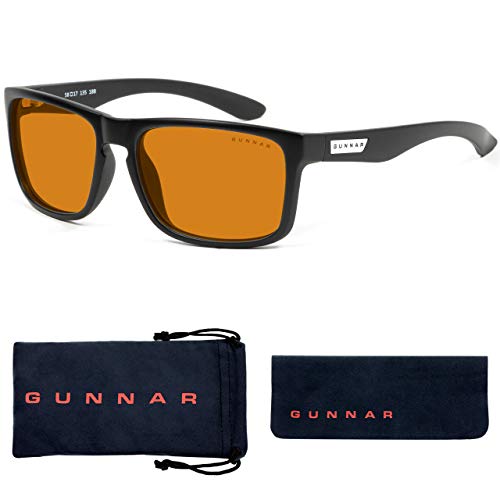
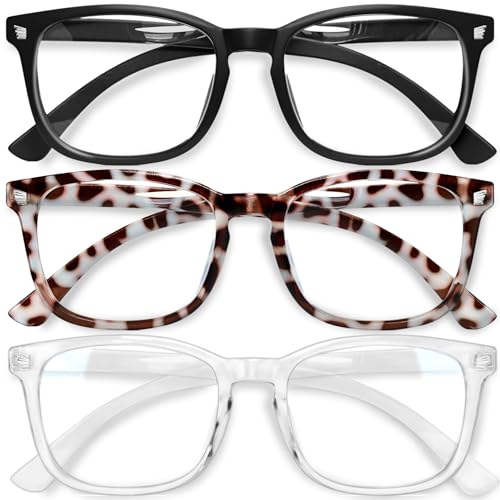
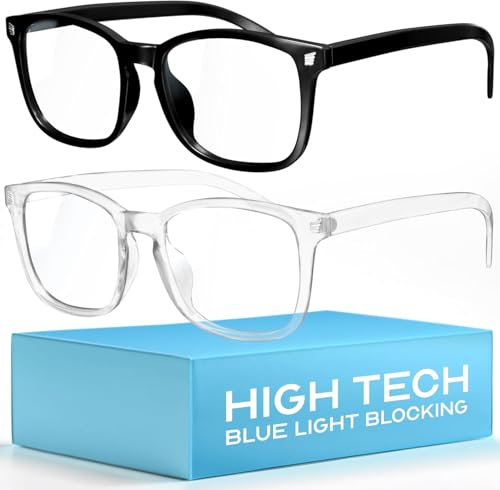
- Use blue light glasses: I wear blue light blocking glasses, especially for evening work. Scientific studies, such as those from the American Academy of Ophthalmology, show these glasses filter high-energy visible light and support better sleep quality after late sessions.
- Leverage software solutions: I install apps like f.lux or enable built-in night mode features to automatically shift color temperature towards warmer tones after sunset. This reduces my exposure to disruptive blue wavelengths when natural light fades.
These strategies let me sustain creative focus without sacrificing my long-term eye health, making blue light protection an everyday part of my graphic design workflow.
Recommended Tools and Technologies
Graphic design demands hours in front of digital displays, so I’ve spent years researching and testing tools that target digital eye strain. Reliable technology can minimize blue light exposure and help sustain creative performance.
Blue Light Filters and Specialized Glasses
Blue light filters and specialized glasses offer targeted protection from HEV blue light that screens emit. I rely on clip-on blue light blockers and monitor shields from brands like Ocushield and BenQ. These filters reduce harsh wavelengths, keeping my eyes less strained after long design sessions. Blue light glasses with anti-reflective coatings—examples include Gunnar and Felix Gray—filter out 30% to 60% of blue-violet light from displays, according to manufacturer data. I keep a pair at my desk and notice less fatigue and fewer headaches during late editing sessions. For designers working with color-critical projects, opt for lenses with minimal tint to avoid color distortion.
Software Solutions for Eye Health
Software solutions complement physical filters by adjusting screen color temperature and brightness based on time of day. I recommend f.lux, Iris, and Windows Night Light for real-time blue light reduction—these tools shift displays toward warmer hues in low-light settings, helping to preserve circadian rhythm. I also use browser extensions, like CareUEyes, to dim browser content without affecting global color settings. Mac users can enable Night Shift for similar benefits. When designing, I keep these apps active during breaks or administrative tasks, toggling off adjustments only when precise color grading is required. Combined with regular breaks, these tools help maintain visual comfort and reduce the risk of chronic digital eye strain.
Conclusion
As a graphic designer I know how easy it is to lose track of time while working on a project and forget about the toll screens take on my eyes. Making a few small changes to my workspace and daily habits has made a huge difference in my comfort and creativity. Protecting my eyes isn’t just about avoiding discomfort—it’s about making sure I can keep doing what I love for years to come. If you’re a fellow designer don’t wait until the strain sets in—your eyes will thank you.

