
I spend hours every day staring at screens—my phone laptop and TV are never far from reach. Lately though I’ve noticed my eyes feel tired and dry by the end of the day. If you’ve felt the same you’re not alone. More of us are experiencing eye fatigue and blue light from digital devices might be a big reason why.
It’s easy to ignore the strain until it starts affecting how I work and relax. I wanted to understand what’s really going on with blue light and why my eyes feel so worn out. Even better I wanted to find out what I can actually do to protect my eyes and keep them feeling fresh.
Understanding Blue Light and Eye Fatigue
Blue light from devices and lighting impacts eye comfort every day. I often meet people who experience eye strain and ask me about blue light and its role in visual discomfort.
What Is Blue Light?
Blue light means high-energy visible (HEV) light with wavelengths from 400 to 490 nanometers. I see this type of light in sunlight, LEDs, and digital screens. Digital screens like smartphones, tablets, and laptops emit a higher proportion of blue light, especially in the 415–455 nm range. I focus on this range since it’s linked to eye fatigue and digital eye strain (source: American Academy of Ophthalmology).
How Blue Light Affects the Eyes
Blue light affects eyes by scattering more easily than other light, which reduces contrast and increases visual noise. I notice my eyes work harder to focus after screen exposure, and I see this effect in others. Studies show that short-wavelength blue light (400–450 nm) penetrates deeply into the eye, reaching the retina. Prolonged exposure, especially in dim environments, often results in symptoms like dry eyes, blurred vision, headaches, and eye fatigue. I advise people that artificial blue light also disrupts circadian rhythms, making it harder to fall asleep after late-night screen use (source: Harvard Health Publishing).
Common Causes of Eye Fatigue Linked to Blue Light
Blue light impacts eye comfort when my eyes face continuous, unfiltered exposure. I often see specific sources and surrounding conditions increasing eye strain for almost everyone engaging with digital devices.
Digital Screen Exposure
Prolonged digital screen exposure causes most blue light-related eye fatigue. I notice that using smartphones, computers, and TVs emits concentrated blue light, peaking between 415 and 455 nanometers (Harvard Health Publishing, 2020). Viewing screens for more than 2 hours without breaks triggers symptoms like dryness, blurred vision, and sore eyes. Scanning text, watching videos, and gaming on high-brightness LED displays elevate irritation, especially without blue light filters.
Lighting Conditions and Environment
Unfavorable lighting conditions worsen blue light eye fatigue. I find harsh artificial lights or dark rooms paired with bright screens magnify glare and reduce visual comfort. Positioning screens directly in front of light sources or using devices in dim settings increases contrast and intensifies strain. Office environments with fluorescent lights and homes with cool, LED bulbs further expose eyes to blue wavelengths, adding to the discomfort when combined with screens.
Recognizing Symptoms of Blue Light–Related Eye Fatigue
Recognizing symptoms of blue light–related eye fatigue helps me spot early warning signs before discomfort worsens.
- Dry, Irritated Eyes
Dry, irritated eyes show up when I stare at digital screens without blinking enough. Prolonged exposure to blue light increases tear evaporation and leaves me with a gritty or burning sensation.



- Blurred or Double Vision
Blurred or double vision often occurs after viewing screens for extended periods. My eyes struggle to focus as blue light scatters, reducing clarity and causing objects to lose definition, especially after two hours or more in front of a computer.
- Headaches and Eye Pain
Headaches and eye pain act as key indicators of digital eye strain. Blue light increases glare and visual noise, making my eyes work harder to focus. I notice this especially after exposure to bright screens in poorly lit rooms.
- Difficulty Concentrating
Difficulty concentrating becomes apparent when blue light exposure disrupts my visual comfort. I start missing details and lose track of what I’m reading after using digital devices continuously.
- Increased Sensitivity to Light (Photophobia)
Increased sensitivity to light appears as I become more uncomfortable in environments with strong artificial lighting or daylight. Blue light exposure exacerbates this sensitivity, making everyday tasks more challenging.
- Sleep Disturbances
Sleep disturbances follow evening screen use, with blue light exposure suppressing melatonin production. I often struggle to fall asleep or notice disrupted sleep cycles after working late on my laptop or smartphone.


Being aware of these symptoms helps me take action quickly, reducing the impact of blue light on my eyes and overall well-being.
Effective Solutions for Blue Light Eye Strain
Managing blue light exposure helps protect eye comfort and reduces digital fatigue. I’ve explored and implemented several strategies that address both habits and technology to ease strain.
Lifestyle Changes and Breaks
Taking regular breaks supports eyes when facing prolonged screen use. I follow the 20-20-20 rule: after every 20 minutes of screen time, I look at something 20 feet away for at least 20 seconds. Stretching and blinking often keep eyes moist and refreshed. Keeping a balanced daily routine, including consistent sleep times, restores my eyes after digital tasks. Limiting screen use one hour before bed minimizes blue light disruption of sleep cycles.
Screen Filters and Blue Light Glasses
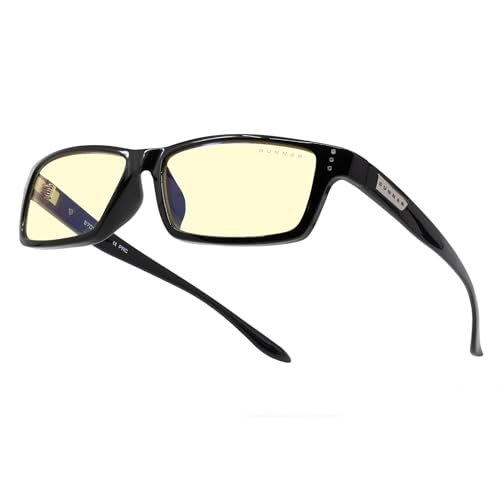
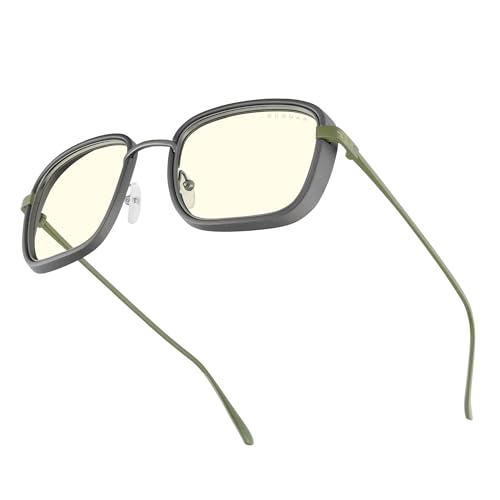
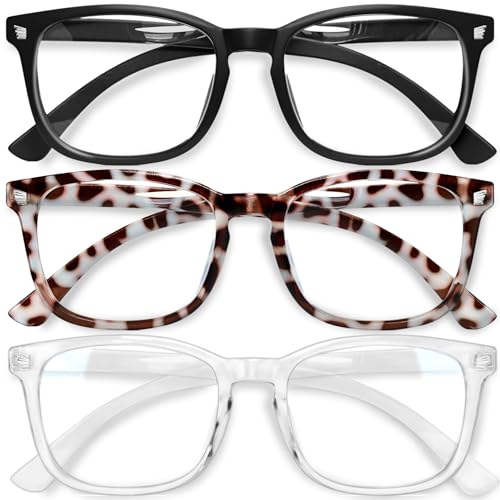
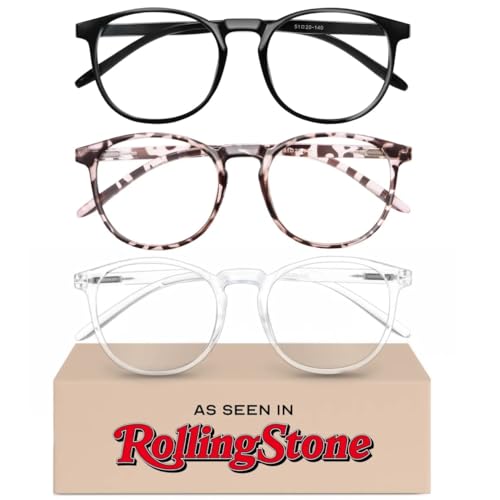
Using specialized screen filters reduces emitted blue light from computers, tablets, and smartphones. I prefer blue light filtering apps and physical screen protectors for noticeable relief. Wearing blue light blocking glasses has given me substantial comfort during long work sessions. Optical coatings on these glasses filter wavelengths between 415 and 455 nanometers, the range most linked to eye fatigue (source: American Academy of Ophthalmology). For example, brands like Gunnar and Felix Gray offer lenses that block up to 65% of blue light in the targeted spectrum, a level supported by lab testing.
Optimizing Device Settings
Adjusting device settings tailors emission to comfortable levels for sensitive eyes. I enable built-in blue light reduction modes, such as Night Shift on iPhones or Night Light on Windows PCs, which lower blue glare in the evening. Reducing overall brightness and increasing text size also eases eye strain during reading or editing. For added control, I use third-party apps like f.lux to shift screen colors toward warmer tones automatically during nighttime hours. These adjustments work best in pairing with other solutions to enhance comfort and clarity when working on digital screens.
Tips for Preventing Eye Fatigue in Everyday Life
- Prioritize regular visual breaks
I schedule breaks every 20 minutes by looking at an object 20 feet away for 20 seconds, which eases eye muscle tension caused by continuous blue light exposure from digital screens like laptops and smartphones.
- Adjust room and screen lighting
I keep workspace lighting softly diffused, minimizing glare from overhead LEDs or harsh lamps, and lower my device screen brightness at night to match ambient room levels, reducing contrast and strained vision.
- Modify device settings
I activate blue light reduction features, such as “Night Shift” on iPhones or “Night Light” on Windows, as these functions decrease wavelengths in the 415-455 nanometer range that have strong links to eye fatigue and sleep disruption.
- Use blue light filtering solutions
I wear blue light blocking glasses and install anti-blue light screen protectors, which filter a significant percentage of high-energy visible light and lower risks associated with prolonged viewing, as shown in studies reviewed by Harvard Health Publishing and AOA.
- Blink frequently and use eye drops
I intentionally blink at regular intervals and keep preservative-free lubricating drops handy, which helps counter reduced blinking rates and dryness during long periods of screen use.
- Optimize font size and contrast
I increase text size and select high-contrast color schemes on all my devices, making content easier to read and reducing squinting and eye muscle strain.
- Maintain ergonomic screen distance
I position my screen at arm’s length (about 20-28 inches) and set the monitor top at or slightly below eye level to reduce neck and eye muscle tension that blue light exposure can exacerbate.
- Include eye-friendly foods in daily diet
I frequently include foods rich in lutein and zeaxanthin like spinach, corn, and eggs in my meals, as research from the American Optometric Association indicates that these nutrients support eye health, especially for people exposed to blue light daily.
- Ensure adequate sleep and screen downtime
I set a daily digital curfew, turning off screens at least one hour before bed, which limits late-night blue light exposure and improves sleep quality.
Conclusion
I’ve learned that taking care of my eyes in today’s digital world is more important than ever. While blue light is a part of modern life, simple changes can make a big difference in how my eyes feel each day.
By staying mindful of my screen habits and making small adjustments, I can enjoy my devices without sacrificing comfort or well-being. My eyes will thank me for it—now and in the long run.
