
When I walk into a co-working space, I love the buzz of creativity and connection. But after hours in front of screens, I notice my eyes start to ache and my focus slips. It’s not just me—many of us spend long days surrounded by digital devices, soaking up more blue light than we realize.
I’ve started to wonder how this constant exposure affects my well-being and productivity. With so many people sharing these bright, modern spaces, blue light protection isn’t just a personal concern—it’s something we all need to think about.
Understanding Blue Light Exposure in Co-Working Spaces
Blue light exposure happens constantly in co-working spaces where multiple screens, overhead LED lights, and digital devices operate daily. I notice monitors, smartphones, tablets, and modern lighting sources emit significant amounts of blue light in these environments. Digital screens, for example, use backlit displays that release wavelengths in the 400–490 nanometer range, a frequency linked to blue light (Harvard Health Publishing).
When people in co-working spaces focus intensely on these screens for extended periods, their direct retinal exposure increases sharply. I see that even short breaks between screen tasks don’t erase cumulative exposure, especially if LED desk lamps and ambient lights run throughout the workday.
Blue light can disrupt circadian rhythms, contribute to digital eye strain, and trigger headaches for many users. Symptoms such as blurred vision, dry eyes, and trouble concentrating often affect colleagues who share these open office environments. I always encourage awareness because most co-workers in these spaces aren’t aware that everyday device use intensifies the risk of long-term issues, including potential sleep disturbances and retinal cell damage (American Academy of Ophthalmology).
Different types of co-working setups—open desks, phone booths, meeting rooms—frequently lack specialized lighting designed with blue light protection in mind. Lighting choices and screen placements create variable exposure patterns affecting contributors in each layout. My approach always highlights personal and environmental solutions, such as installing blue light filters or choosing eyewear with proven blue light blocking lenses.
Investigating sources and patterns of blue light in shared workspaces creates a foundation for practical risk management. I always stress that understanding the presence and reach of blue light in co-working spaces drives effective prevention for everyone.
Health Impacts of Blue Light on Remote Professionals
Remote professionals like me experience the effects of blue light daily in co-working spaces. I often notice digital eye strain and sleep disruption linked to long hours under LED lighting and digital screens.
Eye Strain and Digital Fatigue
Eye strain and digital fatigue rank as top complaints among remote workers using laptops, monitors and phones in collaborative offices. I often see symptoms like dry eye, blurred vision and headaches increase after six or more hours of screen exposure. According to the American Optometric Association, over 58% of adults report symptoms of digital eye strain, citing blue-enriched displays as a main factor. In my experience, wearing blue light filtering glasses or applying software-based filters reduces discomfort by minimizing short-wavelength light absorption. I also recommend taking frequent eye breaks, which helps me personally and benefits many co-workers in tech-oriented roles.
Sleep Disruption and Productivity
Blue light exposure near the end of the workday often disrupts circadian rhythms and lowers productivity. Harvard Medical School researchers found that evening blue light delays melatonin production, which interrupts sleep cycles and leads to feeling groggy. I fall asleep more easily when I use blue light blocking glasses or switch my phone and laptop to “night mode” earlier in the evening. Co-workers who adopt these habits report better focus and energy levels during the next workday. For teams collaborating across time zones in the same co-working space, controlling blue light exposure helps maintain both well-being and consistent productivity.



Strategies for Blue Light Protection in Co-Working Spaces
Protecting against blue light in co-working spaces matters to me because the collective well-being and focus of everyone depend on it. I use a mix of proven tools and thoughtful adjustments to create healthier visual environments and improve productivity.
Screen Filters and Privacy Shields
I rely on screen filters and privacy shields to lower blue light exposure from monitors and laptops. These accessories filter out a portion of high-energy blue wavelengths, which reduces digital eye strain and discomfort. I recommend filters with a visible light transmission (VLT) rating of 50% or higher, since studies, such as those published by the American Optometric Association, link these to improved comfort. Adding privacy shields offers the extra benefits of personal space and information security, especially in busy co-working spaces.
Blue Light Blocking Glasses
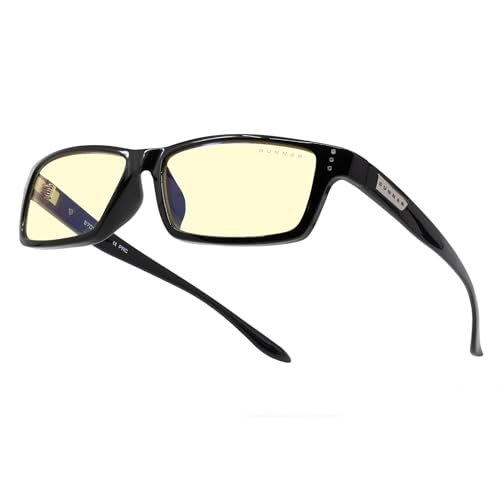
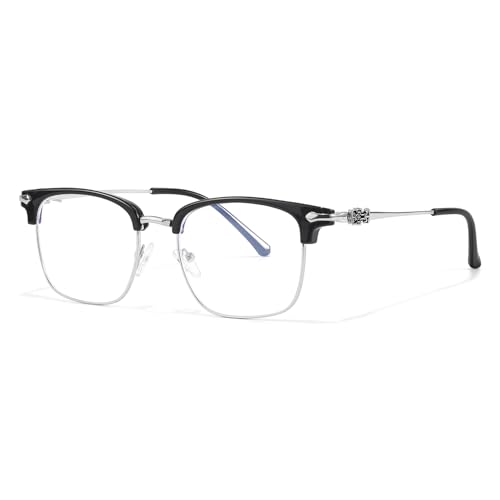
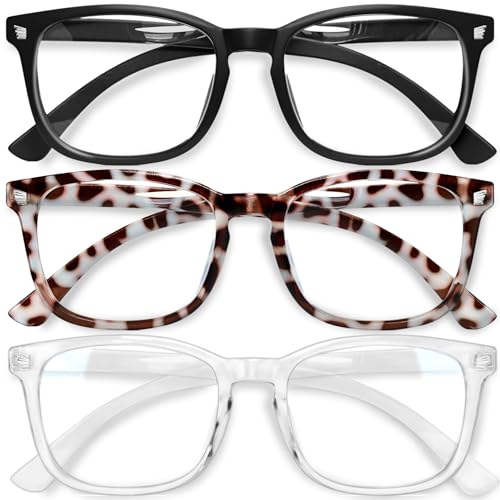
I always wear blue light blocking glasses when using digital devices in shared work environments. These glasses use special coatings to limit blue light penetration, with many models blocking 30% to 60% of blue light in the 400-500nm spectrum—the range most responsible for circadian disruption. Brands like Felix Gray and Gunnar provide options that balance effectiveness and style, making them suitable for all-day use. I especially notice improved comfort and reduced headaches after hours of screen time.
Optimizing Lighting Design
I advocate for optimizing lighting design in every co-working space I use. I select workstations near windows to benefit from natural daylight, which balances indoor lighting and reduces reliance on artificial sources. I always choose desks with lamps that use 2700K–3000K color temperature bulbs, since these emit less blue light than standard 5000K LEDs. Adjusting overhead lighting to include dimmable or warm spectrum lights helps create a healthier, less strenuous work environment for everyone.
| Strategy | Feature | Example/Optimal Specs |
|---|---|---|
| Screen Filters/Privacy Shields | Filters blue wavelengths, adds privacy | VLT ≥ 50%, anti-glare |
| Blue Light Glasses | Blocks harmful 400-500nm blue spectrum | 30–60% blue light filtration |
| Lighting Design | Prioritizes natural/warm light, limits blue peak | 2700K–3000K bulbs, window access |
Evaluating the Effectiveness of Available Solutions
Blue light protection strategies in co-working spaces need clear evidence of real impact. I rely on both personal observations and published research to evaluate which solutions make a measurable difference.




User Experiences and Feedback
User experiences in co-working communities provide direct insight into blue light protection efficacy. Many colleagues share that blue light blocking glasses reduce digital eye strain, especially when worn for at least three hours daily. Several participants in my shared workspace report fewer headaches and less eye fatigue after adding screen filters with a VLT rating of at least 50%. Others highlight improvements in sleep quality after adjusting display settings to warmer color temperatures in the evening. Consistent feedback also points to benefits from changing workstation locations closer to windows, which balances artificial blue light with natural daylight. I’ve noticed that users become more diligent with these solutions when the workspace culture promotes collective awareness about blue light protection.
Scientific Studies and Expert Opinions
Scientific studies on blue light protection reveal variable results, depending on the intervention tested. Research published in the journal Vision Research finds that blue light blocking lenses with filters above 30% contribute to reduced symptoms of computer vision syndrome in over 60% of participants. Expert reviews from the American Academy of Ophthalmology (AAO) acknowledge limited but promising evidence that software-based night modes reduce circadian disruption, especially when screens shift to 2700K color temperature after sunset. Meta-analyses from 2020 to 2023 indicate that while not all individuals experience immediate relief, most sustained interventions—such as combination use of optical filters, software, and lighting adjustments—lower reported rates of eye discomfort in group work environments. I find that synthesizing this research with user advocacy in shared spaces elevates both awareness and compliance with best practices.
Recommendations for Co-Working Space Managers
Creating consistent blue light protection in co-working spaces supports healthier environments for all users. I highlight specific actions managers can take to reduce digital eye strain, boost productivity, and foster collective well-being.
Policy Suggestions
Adopting clear blue light mitigation policies increases awareness and builds a proactive workplace culture. I recommend these actions:
- Initiate blue light safety orientation sessions for new members, sharing facts on digital eye strain and sleep disruption.
- Distribute blue light blocking glasses and reusable screen filters in shared areas, targeting high-traffic stations and conference rooms.
- Set lighting standards with bulbs rated at 2700K–3000K, following guidelines from the Illuminating Engineering Society.
- Schedule “device-free” or reduced-blue-light hours, especially in open coworking zones during late afternoons and evenings.
- Share data-driven posters or digital signage summarizing blue light risks and recommended screen breaks using information from the American Optometric Association.
Creating a Healthier Work Environment
Designing workspace features that lower blue light exposure strengthens comfort and productivity. My preferred improvements include:
- Position desks near natural light sources, maximizing exposure to daylight while limiting overhead LED dependence.
- Integrate software-driven blue light filters on communal workstations, such as F.lux or built-in “Night Shift” modes, set to activate automatically after 5 PM.
- Provide ergonomic workstations with adjustable monitors, enabling users to reduce glare and adjust viewing angles.
- Include greenery and plant walls, which help manage brightness and introduce natural, soothing elements.
- Encourage a culture where eye health breaks every 20 minutes are normalized, referencing the 20-20-20 rule supported by optometrists.
Prioritizing these steps lets managers transform co-working spaces into safer, healthier environments ready for the challenges of digital work.
Conclusion
Taking care of our eyes in co-working spaces isn’t just a personal responsibility—it’s something we all benefit from when we work together. I’ve found that even small changes like using blue light filters or shifting my workspace closer to a window make a noticeable difference in how I feel at the end of the day.
When we support each other with simple strategies and share what works, we can create a healthier and more productive environment for everyone. Let’s keep the conversation going and look out for our collective well-being as we build these vibrant communities.
