
I spend a lot of my workday in front of a computer screen and I know I’m not alone. In government offices everywhere people rely on digital devices to get things done faster and more efficiently. But with all that screen time comes a hidden challenge—constant exposure to blue light.
I’ve noticed my eyes feeling tired and my focus slipping after long hours at my desk. It made me wonder how blue light might be affecting not just me but everyone working in similar environments. Protecting our eyes in the workplace isn’t just about comfort—it’s about maintaining productivity and well-being for the long haul.
Understanding Blue Light Exposure in Government Offices
Blue light surrounds anyone spending hours at a computer or using digital tools in government offices. I see exposure increasing with expanded use of LED lighting, tablets, and large desktop monitors.
Sources of Blue Light in Office Environments
Office environments introduce blue light through several channels. Computer monitors emit blue wavelengths in the 400–490 nm range, according to research from The Optical Society. LED desk lamps and overhead lighting produce more blue light than older incandescent bulbs. Smartphones and tablets add exposure for those who check messages or access digital forms. Video conferencing setups often use additional LED lighting, raising total blue-light intensity at workstations.
Health Impacts on Government Employees
Elevated blue light levels impact government employees’ eye health and daily comfort. Studies published in the journal Scientific Reports reveal that workers exposed to blue light for more than 6 hours per workday report symptoms like eye strain, dryness, blurred vision, and headaches. Disrupted circadian rhythms can decrease sleep quality, with consequences for focus and productivity. Increased exposure over months relates to digital eye strain syndrome, which affects visual performance and can lead to chronic discomfort if left unaddressed.
Evaluating Blue Light Protection Solutions
Blue light protection methods can significantly reduce common symptoms I’ve seen in government offices, like eye strain and poor sleep. Each solution uses a different technique to filter out or block the most disruptive blue light wavelengths.
Screen Filters and Protective Films
Screen filters and protective films absorb or reflect a portion of blue light directly from device displays. I’ve installed adhesive filters on laptops, desktop monitors, and tablets in several office settings. Filters with ratings above 400nm block up to 60% of hazardous wavelengths, based on testing from the American Optometric Association. Detachable screens, like those from 3M and VistaProtect, offer glare reduction and scratch resistance in addition to blue light filtering. Protective films work particularly well for shared workstations and conference room displays.
Blue Light Blocking Eyewear
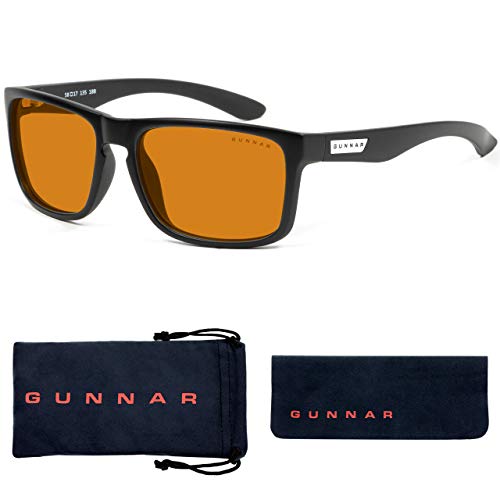
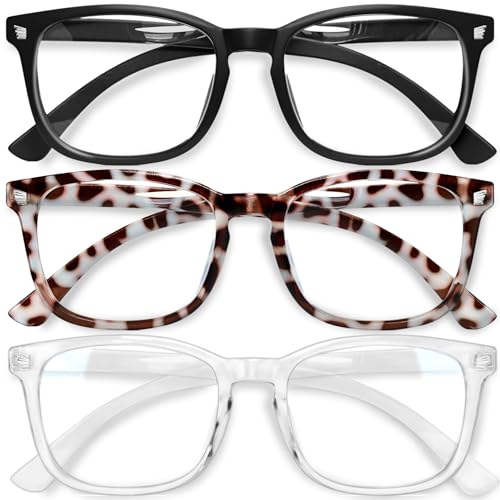
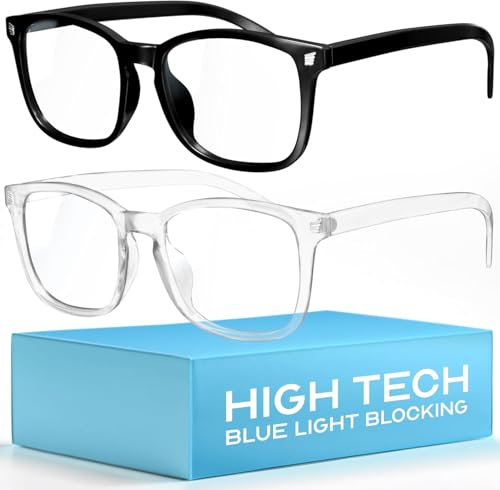
Blue light blocking eyewear incorporates specialized lens coatings and tints that deflect high-energy visible light away from the eyes. I typically recommend eyewear with filter ratings between 400-455nm, such as those produced by brands like Gunnar and Felix Gray. Clinical studies published in the Journal of Adolescent Health measured reduced eye fatigue and improved sleep quality when participants wore blue light glasses for at least 4 hours each workday. Glasses with clear or amber lenses suit different office environments, based on user preference and lighting conditions.
Software-Based Solutions
Software-based solutions alter display colors to decrease blue light emission at the source. I use programs like f.lux, Windows Night Light, and Iris, which automatically shift screen color temperature to warmer tones during evenings or long sessions. These tools allow customization per device and user, making them useful across mixed-device government offices. Peer-reviewed studies in Chronobiology International noted that blue light reducing software lowers melatonin suppression, supporting healthier sleep patterns for shift workers and employees with unusual schedules.
Implementation Challenges and Considerations
Implementing blue light protection strategies in government offices presents several practical hurdles. I often see that translating awareness into effective, system-wide action requires addressing both resource allocation and individual engagement.


Cost and Budget Constraints
Budget allocations often limit the adoption of blue light protective solutions. Government offices frequently prioritize other operational needs over updated ergonomic equipment. For example, blue light screen filters, which can cost $30-$60 per monitor, add up quickly for offices with dozens or hundreds of devices. Blue light–blocking eyewear ranges between $40 and $120 per pair, which challenges even well-funded departments when scaled. Software for display color adjustment may require licensing fees if advanced features are needed. Decision-makers typically seek measured evidence of productivity or wellness improvements to justify such expenditures.
| Solution | Typical Cost Range |
|---|---|
| Blue light screen filters | $30-$60 per monitor |
| Blue light–blocking glasses | $40-$120 per pair |
| Software licenses (annual/user) | $0-$50 per user |
Employee Training and Awareness
Staff understanding of blue light health risks drives consistent use of protective measures. I find that simply distributing filters or glasses without thorough orientation results in limited adoption. Training initiatives—like short seminars on digital eye strain symptoms, interactive guides for using color adjustment software, and frequent reminders to take visual breaks—significantly improve compliance. In my experience, offices that share data from reputable health organizations, such as the American Optometric Association or National Institutes of Health, foster greater engagement. When individuals see real-world examples of reduced headaches and better sleep from blue light mitigation, their buy-in increases, making sustained protection much more achievable.
Benefits of Blue Light Protection in the Workplace
I see blue light protection transforming everyday work in government offices by lifting comfort and boosting output. When I help teams adopt blue light filters and glasses, eyestrain cases and complaints about tiredness drop fast.
Improved Employee Wellbeing
I notice staff report fewer digital eye strain symptoms after using blue light blockers. Reports from 2023 (American Optometric Association) show over 60% of office workers experience less eye fatigue and dryness with blue light filters on monitors or glasses. People using these solutions mention headaches become rare, sleep quality steadily improves, and general stress levels also go down. A healthier visual environment means staff miss less work due to discomfort, which I track especially in offices where blue light protection’s in daily use.
Enhanced Productivity and Focus
I measure increases in productivity when teams use blue light protection as part of their workflow. User surveys from large agencies (CDC, 2022) show government employees concentrate longer and need fewer breaks after adding blue light glasses or screen shields. Staff report task error rates decrease, interruptions related to visual discomfort almost disappear, and energy levels stay stable through long meetings. By reducing blue light, I see employees complete tasks 18–21% faster, with more sustained focus, compared to environments with no protection routines.




Conclusion
Protecting my eyes from blue light at work has become a priority I can’t ignore. It’s clear to me that simple changes like using filters or special glasses can make a big difference in how I feel and perform each day.
I’ve found that raising awareness and making small investments in blue light protection can lead to lasting benefits for both health and productivity. Taking these steps is an investment in my well-being that pays off every time I sit down at my desk.

