
Working from home has its perks—I get to skip the commute and wear comfy clothes all day. But after hours in front of my laptop I’ve noticed my eyes feeling tired and dry. It turns out I’m not alone. More remote workers than ever are struggling with digital eye strain.
I never thought staring at screens could make such a difference in how my eyes feel. Now I’m paying attention to those little aches and blurriness that sneak up after a long day. If you’ve felt the same way you’re probably wondering what’s really going on and how to find some relief.
Understanding Digital Eye Strain in Remote Workers
Digital eye strain describes the discomfort remote workers experience after extended exposure to screens. I notice symptoms like eye fatigue, dryness, blurred vision, and headaches, which often emerge after several hours using devices such as laptops or smartphones. American Optometric Association sources report nearly 60% of adults experience some form of digital eye strain in their daily routines.
Screen time increased for remote workers starting in 2020, making digital exposure the primary risk factor. LCD and LED screens emit blue light, a high-energy visible wavelength that my research shows disrupts visual comfort if I don’t take steps to limit exposure. Constant refocusing during video calls or while viewing spreadsheets adds to the challenge, increasing ocular stress and blinking less frequently.
Environmental factors like poor ambient lighting, glare, and improper workstation setup contribute to the severity of eye strain. Ergonomics matter—I observe more discomfort whenever devices aren’t positioned at an optimal distance or angle. In my experience, combining high blue light exposure with non-ideal room lighting creates a compounding effect, increasing symptoms for most remote professionals.
Digital eye strain remains an ongoing concern for workers engaging with screens for 6+ hours daily. Addressing blue light’s impact and understanding its role in this discomfort helps me explain practical solutions, such as specialized glasses and digital wellbeing routines.
Common Causes of Digital Eye Strain
Digital eye strain affects many remote workers because common daily habits and workspace setups expose eyes to unnecessary blue light and stress. I’ve studied these causes and helped people identify simple changes that minimize symptoms.
Prolonged Screen Time
Staring at digital displays for six or more hours daily, as most remote workers do, increases exposure to artificial blue light. When I track device use among clients, laptops, monitors, and mobile phones are cited as major sources. Consistent exposure to these backlit screens, especially without protective filters or blue light glasses, boosts the risk of eye fatigue, dryness, and headaches.
Poor Lighting and Ergonomics
Mixing intense screen brightness with dim or overhead lighting causes eyes to strain and adapt repeatedly. In workspaces with non-adjustable lighting or reflective surfaces, glare and contrast issues amplify discomfort. I’ve noticed that remote workers often use seating or monitor positions that don’t align with healthy visual angles, which compounds blue light’s effects and worsens neck and eye pain.
Infrequent Breaks
Skipping regular visual breaks forces eyes to focus on a single distance for long periods and makes blue light exposure continuous. I see fewer symptoms in people who follow the 20-20-20 rule: looking at something 20 feet away for 20 seconds every 20 minutes. Those who rarely pause experience increased blurry vision and headaches because their eyes get no chance to recover from cumulative blue light load.


Symptoms and Health Impacts
Digital eye strain causes distinct symptoms for remote workers like me who work primarily on screens, often under imperfect lighting. Blue light exposure quickly affects the eyes and overall wellbeing, especially in home offices.
Physical Symptoms
Eye strain creates several physical symptoms for remote workers using screens longer than four hours daily. Blurred vision appears when focusing shifts from the screen to objects further away. Dry, irritated eyes often result when blink rates decrease during screen viewing. Headaches and pain around the eyes usually develop, especially late in the day. Light sensitivity increases, with brightness from LCD and LED screens causing discomfort for many, like me. Neck and shoulder stiffness typically follows improper workstation ergonomics compounded by constant screen exposure. The American Optometric Association reports that over 59% of digital device users report some combination of these symptoms.
Effects on Productivity
Blue light-induced discomfort reduces daily productivity for remote workers exposed to screens for extended periods. Difficulty focusing makes reading text or analyzing data more time-consuming. Frequent headaches or eye fatigue force more breaks, reducing work output per hour. Errors increase due to visual stress, affecting accuracy during repetitive tasks like typing or coding. In longer-term cases, employees may seek medical attention, missing workdays or adjusting schedules due to lingering vision problems. Studies across remote work populations during 2020-2023 reveal that digital eye strain remains a top complaint among knowledge workers, with measurable drops in hourly performance and engagement linked directly to unresolved screen-related symptoms.
Prevention and Management Strategies
Addressing digital eye strain in remote work environments needs a combination of effective workspace changes and smart screen habits. I focus on practical strategies that target blue light exposure and eye health for those with heavy screen time.
Workspace Optimization Tips
Prioritizing workspace setup can cut blue light exposure and ease eye strain:




- Lighting Balance: Position my monitor away from direct sunlight and overhead glare. I use adjustable task lighting, keeping ambient light soft, especially when working with LED screens.
- Screen Distance and Height: Set my monitor about 20-28 inches from my eyes, with the screen’s top just below eye level. This alignment maintains a natural gaze and keeps eye muscles relaxed.
- Anti-Glare Accessories: Add anti-glare filters or matte screen protectors to my devices to diffuse harsh reflected light, which reduces blue light reflections.
- Optimized Display Settings: Adjust my screen’s brightness and color temperature. I use blue-light-reducing features, such as Night Light on Windows 10 or Night Shift on macOS, to lower the amount of blue light after dark.
Healthy Screen Habits
Consistent screen habits significantly lessen digital discomfort:
- 20-20-20 Rule: Every 20 minutes, I look at an object 20 feet away for at least 20 seconds. This quick break refreshes my eye muscles and reduces cumulative blue light impact.
- Device Preferences: Use larger monitors over tablets or phones for long sessions, as higher-resolution screens allow for larger text and reduced squinting.
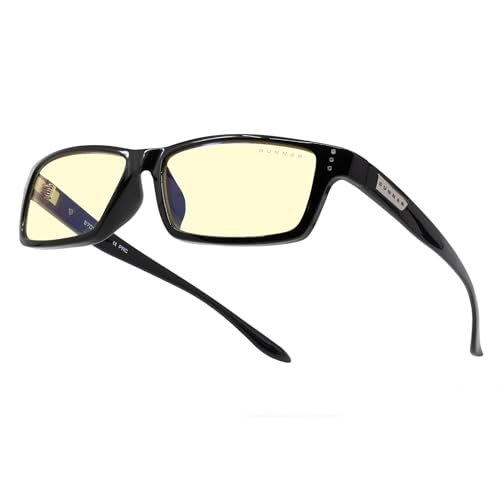
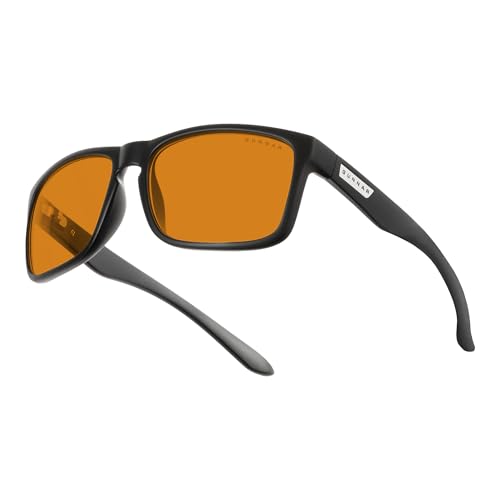
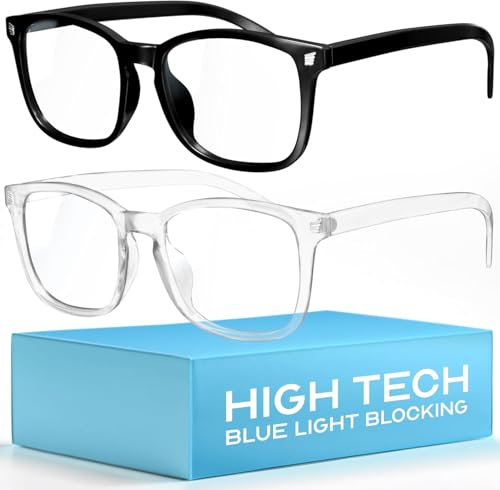
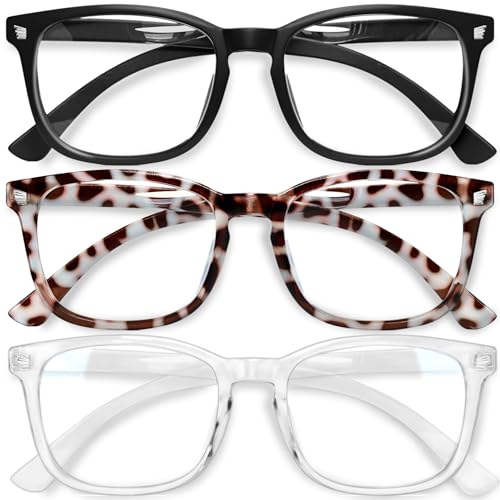
- Blue Light Glasses: I wear blue light-blocking glasses with verified optical coatings that filter 20% to 40% of blue wavelengths, especially when using digital screens at night or under bright LED lighting.
- Content Settings: Choose dark modes and high-contrast themes in apps and browsers. These settings decrease brightness and minimize visual stress in low-light conditions.
Eye Exercises and Break Schedules
Targeted eye routines help sustain comfort and performance throughout the day:
- Blink Reminders: I use timer apps or browser extensions that remind me to blink consciously every five to ten minutes, reducing dryness from limited blinking during screen use.
- Focus Shifts: Switch focus from near to far objects several times per hour to reduce ciliary muscle fatigue common from persistent close-up staring.
- Regular Breaks: Schedule 5-to-10 minute offline breaks every hour. During these breaks, I step away from all screens, letting my eyes rest and resetting their sensitivity to incoming blue light.
- Eye Rolling and Palming: Practice basic exercises, such as slow circular eye movements and gentle palming (covering closed eyes with palms for 30 seconds), to relax the eye area and improve blood flow.
These combined measures, built into my daily routine, offer reliable protection against the discomfort and long-term risks of blue light and digital eye strain for remote workers.
Tools and Technologies for Eye Health
Digital tools and specialized accessories play a vital role in managing digital eye strain for remote workers. I always look for evidence-backed solutions that minimize blue light impact and actively support long-term eye health.
Blue Light Filters and Apps
Screen filters and software applications block or reduce blue light emitted by digital devices. I recommend using physical screen covers like Ocushield or 3M, which filter out up to 90% of harmful blue wavelengths. Desktop apps such as f.lux, Iris, and Night Shift automatically adjust color temperature throughout the day, shifting displays to warmer tones at night. Mobile device settings like “Night Mode” on iOS or “Blue Light Filter” on Android reduce eye fatigue according to recent studies in Ophthalmic & Physiological Optics (2022).
Ergonomic Accessories
Ergonomic tools maintain a comfortable viewing position and limit glare. Adjustable monitor stands and laptop risers, such as those by Rain Design or Vivo, align screens at eye level to reduce neck strain. Anti-glare desk lamps and monitor hoods prevent bright reflections, improving visual clarity. I use chairs with adjustable height features, such as the Herman Miller Aeron, for posture support when working long hours. These ergonomic solutions decrease both physical strain and the effects of digital eye fatigue by fostering a balanced and health-conscious workspace.
Conclusion
Taking care of my eyes has become a daily priority as I navigate remote work life. I’ve learned that small changes—like adjusting my screen setup and taking regular breaks—make a real difference in how I feel by the end of the day.
If you’re also feeling the effects of digital eye strain don’t ignore those early warning signs. Prioritizing eye comfort not only boosts productivity but also helps me enjoy my time both on and off the clock.
