
I spend a lot of time staring at screens—laptops phones tablets—you name it. Like many people I’ve started to wonder about the effects of all that blue light on my eyes and sleep. It seems like everywhere I look there’s a new product or tip promising to help.
With so many options out there it can feel overwhelming to figure out what actually works. From special glasses to screen filters and even built-in device settings there’s a solution for just about everyone. I want to break down these choices and help make sense of what’s worth trying.
What Is Blue Light and Why Is It a Concern?
Blue light describes high-energy visible (HEV) light with wavelengths between 400–490 nanometers, coming from digital devices like smartphones, tablets, and LEDs. I focus on blue light because it’s more intense than most other visible light, making it more likely to reach deeper into the eye.
Researchers link frequent blue light exposure to digital eye strain, with symptoms such as dryness, blurred vision, and headaches after extended screen time (American Optometric Association). Blue light also affects melatonin production, disrupting sleep cycles when people use screens late in the evening (Harvard Medical School).
Eye health experts observe that blue wavelengths may contribute to retinal stress over long periods, though clear long-term risks remain under review. Most concerns arise from device usage patterns—people often use screens within 12 inches of their eyes for multiple hours per day, upping the cumulative blue light dose.
For people looking to sleep better and protect their eyes, understanding blue light’s effects helps shape smart protection options. My interest in blue light guides me to evaluate how different prevention strategies can actually limit these concerns.
Popular Blue Light Protection Options
Blue light protection options target digital eye strain and sleep disruption by filtering or reducing blue light exposure from screens. I’ve explored the most recognized products and features that help people manage blue light risks effectively.
Blue Light Filtering Eyewear
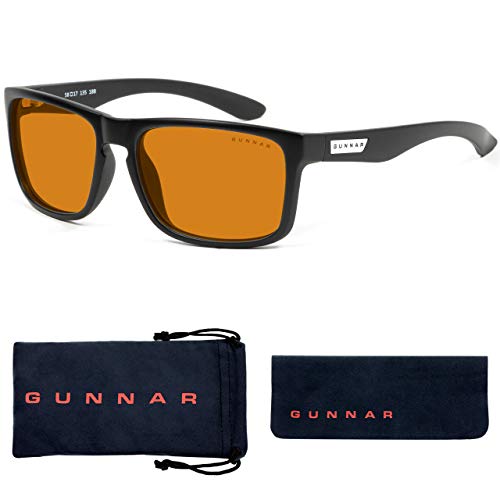
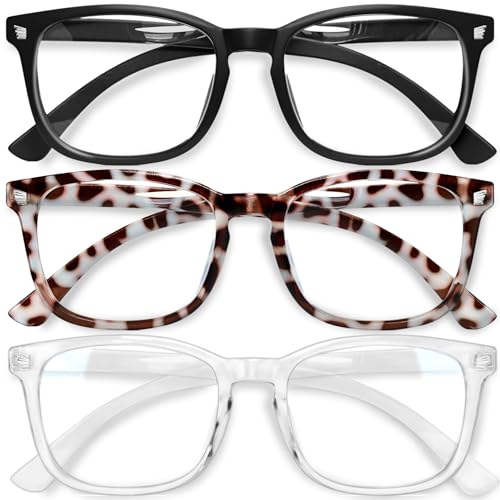
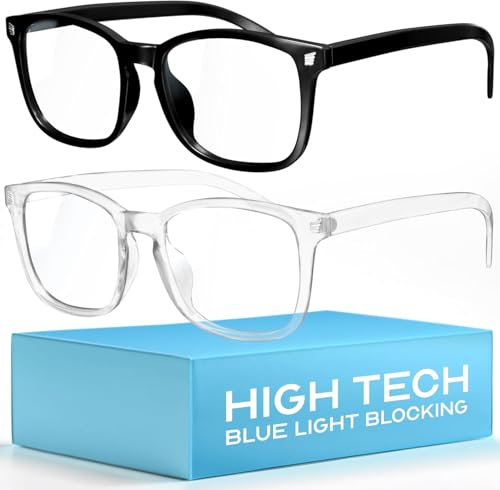
Blue light filtering eyewear uses special lens coatings to reduce the amount of blue light reaching your eyes. I see options that block between 20% and 60% of blue light emitted by devices, such as Gunnar, Felix Gray, and JINS SCREEN. Some models focus on clear lenses for workplace comfort while others use amber or yellow tints for stronger filtering. Studies published in Ophthalmic & Physiological Optics confirm these glasses lower reported eye strain in frequent screen users. Prescription and non-prescription versions are available.
Screen Filters and Protectors
Screen filters and protectors attach directly to device screens, acting as a physical barrier that absorbs blue wavelengths. I recommend brands like Ocushield and 3M for laptops, monitors, or smartphones. These products filter up to 90% of blue light, based on manufacturer lab data, and also help reduce glare and fingerprints. Removable designs let me switch devices or clean screens easily.
Software Solutions and Digital Tools
Software solutions and digital tools regulate the color balance of screens to reduce blue light output, especially in the evening. I use apps like f.lux, Iris, and SunsetScreen for Windows and Mac, which automatically adjust color temperature based on the time of day. A Harvard Health study shows that using these tools to lower blue light in the evening can help normalize melatonin release and support better sleep.


Built-In Device Features
Built-in device features, including Night Shift (Apple), Night Light (Windows), and Blue Light Filter (Android), offer users quick ways to adjust blue light emission. I activate these modes to set screens to warmer tones at sunset, which reduces blue light levels by up to 70% based on device documentation. These features run system-wide, integrate with device schedules, and require no extra hardware or downloads.
Comparing the Effectiveness of Blue Light Protection Methods
I compare blue light filtering eyewear, screen filters, and software solutions by reviewing study data, technical reviews, and user reports. I find that these methods differ in how much blue light they block, the symptoms they reduce, and their impact on screen use habits.
Blue Light Filtering Eyewear
I’ve seen blue light glasses block between 20% and 60% of blue wavelengths between 400–500 nm, according to product specifications from Gunnar and Felix Gray. Clinical studies, like Sheppard & Wolffsohn (2018) in “Ophthalmic & Physiological Optics”, report mild but measurable drops in computer vision syndrome symptoms—examples include less dry eye and reduced headaches—when people use these glasses during prolonged screen time. Glasses with amber-tinted lenses tend to outperform clear versions, though some users note mild color distortion.
Screen Filters and Protectors
I notice that screen filters from Ocushield and 3M absorb up to 90% of high-energy blue light, with manufacturer tests confirming their effectiveness over a wide surface area. Screen filters appeal to users who share devices or don’t want to wear eyewear. Lab tests published by the American Optometric Association show that screen filters reduce glare, helping with eye fatigue. I see improved comfort in user reviews, though screen filters can change perceived screen brightness and sometimes add a subtle tint.
Software and Built-In Device Features
I analyze software like f.lux and built-in device features such as Night Shift on Apple devices, noting their ability to shift color temperature away from blue toward warmer hues after sunset. Studies like those by Harvard Health and the University of Houston (2017) confirm that these settings reduce night-time blue light exposure by about 42%–66%, depending on the strength chosen. I see consistent reports that users fall asleep faster and sleep longer with these settings enabled at night. However, daytime use of these features sometimes impacts color-sensitive tasks—like design or content review—so they work best for general productivity rather than creative work.




Comparative Data Table
| Protection Method | Typical Blue Light Blocked | Glare Reduction | Comfort (Users) | Color Accuracy Impact |
|---|---|---|---|---|
| Blue Light Filtering Eyewear | 20%–60% (400–500 nm) | No | Moderate | Mild (amber lens) |
| Screen Filters/Protectors | Up to 90% | Yes | High | Moderate (tint) |
| Software/Device Features | 42%–66% (night settings) | No | High (night) | High (design tasks) |
I integrate multiple protection options—using glasses and screen filters for daytime, then software at night—to maximize both eye comfort and sleep quality, based on current data and user examples.
Pros and Cons of Each Blue Light Protection Option
I’ve compared blue light glasses, screen filters, software solutions, and built-in device features based on performance, comfort, convenience, and cost. Here’s how each option stacks up.
Blue Light Glasses
- Block blue wavelengths between 20% and 60% according to brands like Gunnar and Felix Gray.
- Reduce eye strain for many users, with multiple studies confirming relief in symptoms like dryness and fatigue.
- Provide physical eye coverage anytime I’m using screens or under high-intensity LEDs.
- Cause mild color distortion, especially in lenses that block higher percentages, which can affect designers or those working with color-sensitive content.
- Require cleaning and regular wear, which some find inconvenient or uncomfortable over long hours.
- Range in price from $20 for basic pairs to $95 or more for premium lens technology and fashion frames.
Screen Filters
- Absorb up to 90% of blue light according to 3M and Ocushield reports, reducing glare and reflections.
- Remain effective consistently once applied, since filters aren’t affected by forgetting or removing like glasses.
- Blur or yellow the screen slightly, which becomes more noticeable for users editing photos or watching videos.
- Interfere with some touchscreen functions due to added surface layer.
- Involve a one-time expense typically between $20 and $60, and I don’t need to think about them once they’re installed.
Software Solutions & Built-in Device Features
- Shift color temperature automatically or on demand, reducing blue light output by 42% to 66% as tested with f.lux, Night Shift, and Windows Night Light.
- Cost nothing since built-in features and third-party apps are free or bundled.
- Disrupt workflows minimally, since I can schedule or toggle settings by time of day.
- Distort color balance on the display, impacting tasks like graphic design and video editing.
- Protect only when the function is active or the specific device is used; I’ve seen some forget to enable settings, missing protection at key times.
| Option | Blue Light Reduction | Comfort & Usability | Visual Clarity | Cost Range | Extra Notes |
|---|---|---|---|---|---|
| Glasses | 20–60% | Wearable, portable, some discomfort | Some distortion | $20–$95+ | Effective for prolonged use |
| Screen Filters | Up to 90% | Set-and-forget, always on | Mild yellowing | $20–$60 | Permanent, no user input required |
| Software/Device | 42–66% | Automatic, quick adjust | Varies with settings | Free | Only active when enabled |
Pairing these blue light protection options leads to broader, more effective defense against digital eye strain and melatonin disruption.
Tips for Choosing the Right Blue Light Protection
- Compare filtration strength and coverage
I check product specs for blue light glasses and filters to confirm how much blue wavelength they block. Top-performing glasses from brands like Gunnar and Felix Gray block 20% to 60%, while screen filters from Ocushield and 3M absorb up to 90%. I choose options tailored to my typical screen usage—lower filtration for graphic work, higher for extended reading or gaming.
- Evaluate comfort for everyday use
I prioritize lightweight frames and anti-reflective coatings when picking glasses. Adjustable nose pads and flexible hinges add comfort, which matters during 8-hour workdays. For screen filters, I test glare reduction and see if they cause any touchscreen lag.
- Check color accuracy impact
I review technical reviews to find out if glasses or filters distort digital colors. Designers, photographers, and gamers need options like Felix Gray that limit yellow-tinted distortion while still filtering blue light.
- Consider ease of integration with routines
I look for software like f.lux or built-in Night Shift that turn on automatically and work across devices. Glasses should be easy to clean and carry, and screen filters must install and remove without damaging my displays.
- Compare long-term cost and durability
I compare prices, warranty coverage, and replacement lens policies. Glasses with scratch-resistant coatings and sturdy frames outlast cheaper models. Quality screen filters often last longer than adhesive ones.
- Confirm support from credible sources
I rely on published studies from sources like the American Academy of Ophthalmology and user reviews to judge real-world benefits. Verified data helps me select effective options and avoid overpriced gimmicks.
Conclusion
Finding the right blue light protection really comes down to what fits your lifestyle and feels comfortable for you. I’ve tried different combinations and found that a little experimentation goes a long way in boosting both eye comfort and sleep.
I always keep an eye out for credible research before making any changes to my routine. With so many options out there it’s reassuring to know that there’s a solution for everyone—whether it’s glasses, screen filters, or software tweaks. Your eyes will thank you for making the effort.

